You run the whole sim from one screen.
You
Instructor
Resus Team
up to 5 · phones
Observers
up to 3 · observer screens

Neonatal resus sim sessions can teach preparation, teamwork, and communication while participants practise the standard algorithm skills and sequencing. We present a new format for this teaching: in person but online, highly interactive, instructor-led but supported by a real-time physiology engine that manages the evolving vital signs on the instructor's behalf.
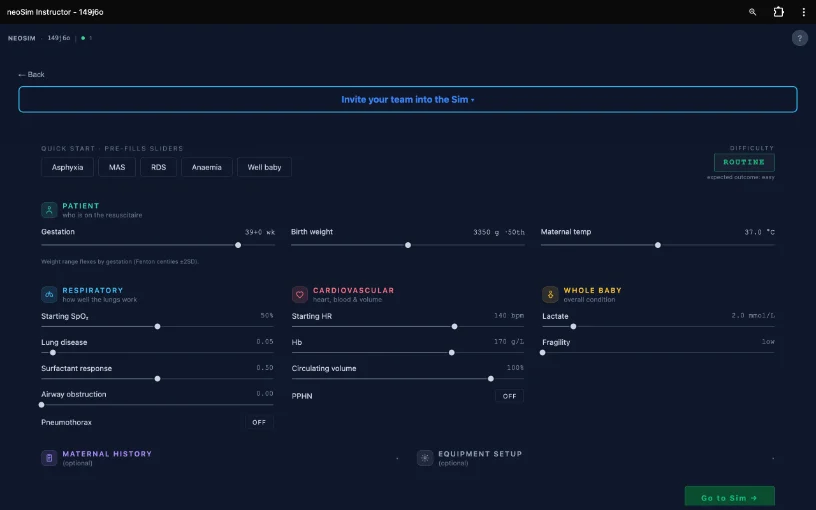
The engine models ventilation, lung disease, airway obstruction, cardiac output, oxygenation, shunts and intravascular volume. Anaemia is modelled too. From all of these, the manikin's heart rate, respiratory drive and skin colour are derived.
The team get instant physiological feedback — the baby's colour, breathing and numbers move with what they do. The facilitator doesn't have to dial the vitals by hand or call out what the baby looks like, leaving them free to watch the team and shape the debrief.
Author the physiology, the equipment setup and any complications like tension pneumothorax or PPHN, then forward to your students to play through alone. Students get scoring based on NRP / ANZCOR guidelines and the opportunity to request an AI-powered debrief (at no charge).
Download on the App Store →Absent chest rise, no CO₂ detector colour change — the student has to spot the tube is in the wrong place and re-attempt.
Set up with incorrect oxygen blender or flow or PIP and PEEP — so the student learns why checking equipment before the baby arrives matters.
neoSim is built by Dr Mike Hewson, Neonatologist, Lyell McEwin Hospital in Adelaide — a clinician-developer behind nicutools.org, a widely used neonatal reference.
No account, no install required. Open a room, share the code, and your team is in — in person, hybrid, or fully remote.